Hottest EdTech Tools of 2017- ePicBooks for Kids 3-7

#19 of the 82 Hottest EdTech Tools of 2017 According to Education Experts –

Tutora posted the 82 Hottest EdTech Tools of 2017. I have decided to post re each, and we start with #19 on the list:

19. Ebookadabra – 100’s of Children’s Books in One App

As nominated by Lauren Porter of Sophie’s Nursery.

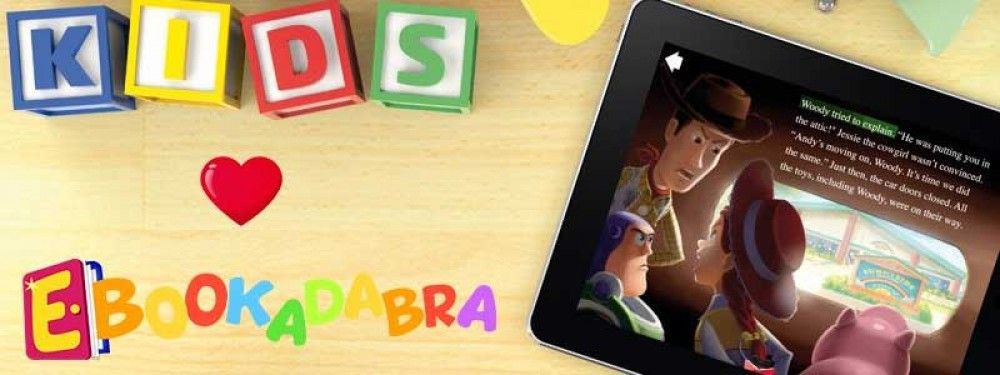
Ebookadabra is the ‘Netflix’ of kids picture books. Aimed at children aged 3-7, it offers a huge library of picture books from well-known publishers, educational games and rewards – all within an environment that is safe and fun.

For a single monthly subscription that covers the whole family, parents and up to four kids can join in the fun – with everyone being able to access Ebookadabra simultaneously on an unlimited number of devices. Families can message each other, post reviews and record audio books.

The Ebookadabra library is constantly growing and new stickers, games, avatars and emoji are added regularly to maintain a fresh and engaging world of reading.

Hottest EdTech Tools of 2017 – Smart Video Creation to Collaborate Virtually

#17 of the 82 Hottest EdTech Tools of 2017 According to Education Experts –

Tutora posted the 82 Hottest EdTech Tools of 2017. I have decided to post re each, and we start with #17 on the list:

17. TouchCast – Leading the Smart Video Revolution

As nominated by Brad Gustafson.

At the core of TouchCast are Smart Videos. What makes video smart? Tools to create and stream video that are blissfully simple to use. The means for any file to be shared inside video. Interactive elements that make them more engaging. The ability to collaborate with your team anywhere in the world.

With TouchCast Studio, you have a full-blown TV studio at your fingertips. Use the green-screen feature to place yourself against a background or inside content. Or step inside a virtual set. Read from a scrolling script. Add titles. Annotate. Record your video, edit it, and share securely. Live stream it privately to a small group, the whole company, or publicly to the entire world.

This is smart video creation, where broadcasting is easy.

“We use TouchCast to supercharge school communications and unleash student creativity. TouchCast is like having a free professional recording studio in your classroom.” – Brad Gustafson


Hottest EdTech Tools of 2017- Student Voice

#14 of the 82 Hottest EdTech Tools of 2017 According to Education Experts –

Tutora posted the 82 Hottest EdTech Tools of 2017. I have decided to post re each, and we start with #14 on the list:

14. Flipgrid – Video for Student Engagement and Formative Assessment

As nominated by Alec Couros.

Flipgrid is video platform used in over 50,000 classrooms to empower student voice and ignite discussion. In Flipgrid, teachers post discussion topics to which students respond via video, creating a social learning environment that provides every student an equal voice and increases engagement.

With the advent and increasing popularity of short video based communication a la Snapchat, Instagram Stories and more, allowing students to communicate and learn through a medium they are familiar with can improve engagement and knowledge retention.

Created ‘grids’ can also be embedded or connected with a variety of other platforms such as Blackboard, WordPress, Moodle and more.

Hottest EdTech Tools of 2017-Padlet

#15 of the 82 Hottest EdTech Tools of 2017 According to Education Experts –

Tutora posted the 82 Hottest EdTech Tools of 2017. I have decided to post re each, and we start with #15 on the list:

15. Padlet – The Easiest Way to Create and Collaborate

As nominated by Bethany Petty of Teaching With Technology.

Padlet is like paper for your screen. Start with an empty page and then put anything you like on it. Upload a video, record an interview, snap a selfie, add text or upload some documents, and watch your padlet come to life. Invite as many people as you like and watch the page update in real time with the contributions of others. Used by teachers, students, professionals, and individuals of all ages, all around the world, Padlet is the easiest way to create and collaborate wherever you are.

Padlets easy, intuitive interface makes it a breeze to quickly create a new document. You could hold a live collaboration lesson where students can all share and add content to your sheet at the same time, or set a task to create a summer holiday scrapbook before school returns in September.

Hottest EdTech Tools of 2017

#13 of the 82 Hottest EdTech Tools of 2017 According to Education Experts –

Tutora posted the 82 Hottest EdTech Tools of 2017. I have decided to post re each, and we start with #13 on the list:

13. Education City – Kids Educational Games and Teacher Resources

As nominated by Lauren Porter of Sophie’s Nursery.

EducationCity is one of the leading online teaching, learning and assessment resources. It was established in 1999 and now has subscribers in over 70 countries worldwide.

Ideal for children aged between 3-12 years old and children with SEN of all ages, EducationCity’s engaging and interactive educational resources cover English, Mathematics, Science, Computing, French, Spanish and English as an additional language. Offering a variety of content types, it lends itself to group and whole-class instruction as well as personalised learning.

It can be used anytime and anywhere on various devices, including interactive whiteboards, laptops and mobile devices, and also includes many time-saving features for the teacher. As a curriculum-based resource, EducationCity is mapped to UK and worldwide curricula.


Hottest EdTech Tools of 2017

#12 of the 82 Hottest EdTech Tools of 2017 According to Education Experts –

Tutora posted the 82 Hottest EdTech Tools of 2017. I have decided to post re each, and we start with #12 on the list:

12. Quizizz – Fun Multiplayer Classroom Quizzes

As nominated by Jon Corippo, Director of Academic Innovation at CUE, and Bethany Petty of Teaching With Technology.

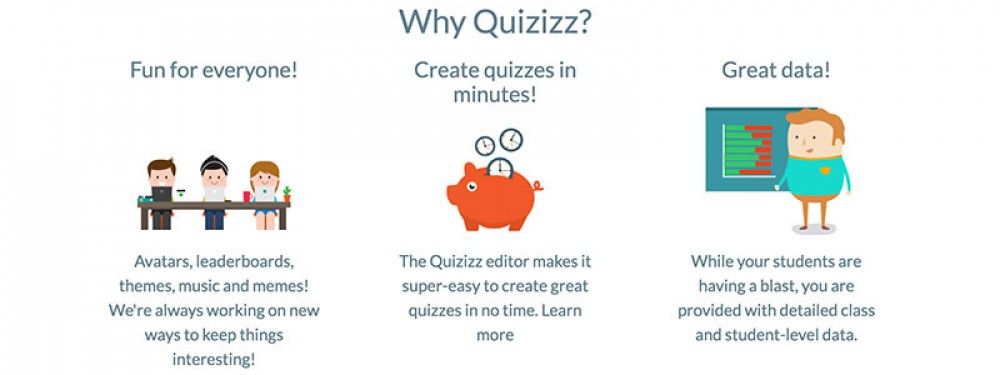
Quizizz allows you to find amazing quizzes made by other teachers, or create your own quizzes and share them with the world. Start a “Live” game in class, or assign Quizizz as a fun “Homework” task. Teachers can control the competition by toggling the leaderboard, timer and other settings. Thanks to Quizizz being available on all devices, students play together, but each at their own pace. Gamification elements like avatars, leaderboard and funny memes add to the fun! Review your work in the end and use Quizizz’ detailed class and student-level reports to understand where your students need help.

“Quizizz is a game changer in formative assessment because it’s easy for teachers to adopt. It has just the right visual layout for entertaining kids and getting teachers the actionable data they crave. As a plus, there’s no “app” to download – Quizizz works on great on any device!” – Jon Corippo


Hottest EdTech Tools of 2017

#11 of the 82 Hottest EdTech Tools of 2017 According to Education Experts –

Tutora posted the 82 Hottest EdTech Tools of 2017. I have decided to post re each, and we start with #11 on the list:

11. Explain Everything – Collaborative, Interactive Whiteboard App

As nominated by Beth Holland, and Michael Cohen of The Tech Rabbi.

For a number of years, Bartosz Gonczarek (CEO) and Piotr Sliwinski (CTO) had a hobby of making funny podcasts. They thought about filming them but the budget to make real movies with their ideas (space aliens, large explosions, monsters destroying whole city quarters) would have been too costly. The only plausible way to capture their ideas was to make simple cartoons.

The concept for an app to create these cartoons appeared in Piotr’s head in 2008 when a colleague showed him an animation that he had made. After a week, Piotr had a working proof of concept. It was a simple app for the Mac that displayed a funny face that could be moved around a checkered window, while its movement was recorded. Fast forward and on August 19, 2011, Explain Everything made its debut on the iPad App Store.

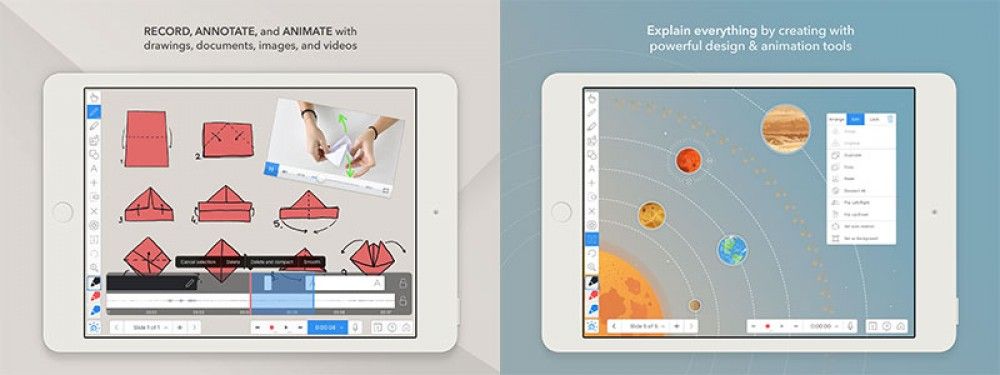
Explain Everything is an easy-to-use design, screencasting, and interactive whiteboard app with real-time collaboration that lets you animate, record, annotate, collaborate, and explore ideas, knowledge and understanding. Explain Everything provides teachers and students an opportunity to share thinking, reflect upon knowledge building, and assess both products and processes of learning.

Hottest EdTech Tools of 2017

#9 of the 82 Hottest EdTech Tools of 2017 According to Education Experts –

Tutora posted the 82 Hottest EdTech Tools of 2017. I have decided to post re each, and we start with #9 on the list:

 9. Book Creator – The Simple Way To Create Beautiful eBooks

As nominated by Beth Holland, and Michael Cohen of The Tech Rabbi.

Book Creator is a simple app for making ebooks on the iPad (and soon to be cross-platform). Red Jumper is the team behind Book Creator. Established in 2011, their mission is to empower the next generation of content creators and improve their educational outcomes.

Teachers and educators have the opportunity with Book Creator to develop interactive and evolving teaching resources that can easily be shared with or collaborated on by students. As an e-resource, it’s really easy to keep resources up to date for each year group and make edits on the fly during lessons.

Book Creator is also a great tool for students to explore their creative side and produce a tangible piece of content through their learning. Potential applications might include creating a portfolio of learning after each lesson, or a homework assignment to create an interactive story or comic book.

After creation, resources can then be shared online with anyone worldwide. Your students could support the learning of students on the other side of the world, or maybe even collaborate with them on a new project!

“Book Creator gives teachers and students a flexible multimedia creation platform with unlimited potential.” – Beth Holland

“BookCreator’s ease of use is perfect for young children to apply their speaking, listening, reading & writing skills.” – Amy Kingsley

“The features and interface on BookCreator are fantastic – the kids in my class have used it for years and still love the video and audio!” – Adam Chase

Hottest EdTech Tools of 2017

#8 of the 82 Hottest EdTech Tools of 2017 According to Education Experts –

Tutora posted the 82 Hottest EdTech Tools of 2017. I have decided to post re each, and we start with #8 on the list:

8. ThingLink – Annotate Images and Videos

As nominated by Brian Seymour of Seymour Educate, and Nikolaos Chatzopoulos of Tech Trends for Teachers.

Amongst the various interactive annotation applications available, ThingLink stands apart. Not only can ThingLink be used to edit, annotate and teach with images and videos in real-time, it also supports 360 degree video and VR/AR content.

Thinglink allows over 70 different tags to be used within content, such as links, videos, maps, images, social media and more. It’s intuitive interface allows users to create interactive content in just three steps and using an embeddable sharing link, it’s easy to distribute the content to your students wherever they are and whatever device they’re using. It even integrates natively with Facebook!

With it becoming increasingly more easy to create 360 and VR content using everyday tools like our smartphones, there are very few barriers to entry to begin trialling tools like Thinglink in your lessons.

“Through our goal of creating more digital projects, we discovered ThingLink. ThingLink has allow our students to take the traditional “create a poster” project to a whole new level.” – Brian Seymour

Hottest EdTech Tools of 2017

#7 of the 82 Hottest EdTech Tools of 2017 According to Education Experts –

 Tutora posted the 82 Hottest EdTech Tools of 2017. I have decided to post re each, and we start with #7 on the list:

7. Matific – Maths Games and Worksheets For Kids

As nominated by Vicki Davis of Cool Cat Teacher, and Danielle Bartram of Miss B’s Resources.

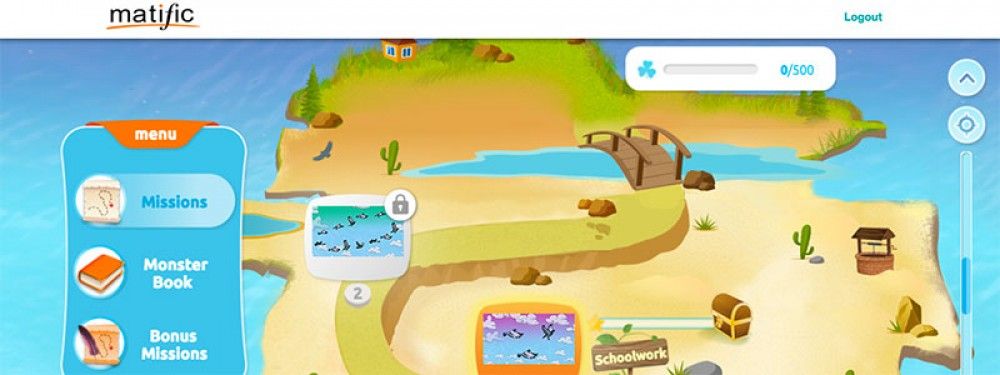
Matific is an award-winning primary maths resource which uses common objects in ordinary settings that children can connect to for a deep understanding of maths. Matific episodes were designed to support each other to allow children to master core maths concepts. Encouraging children to experiment and play to foster understanding, Matific provides engagement across all year groups. With long term use, children can reconnect with core maths concepts that increase in difficulty and reinforce previously learned skills.

Matific is aligned to the UK Primary Maths curriculum and popular textbooks such as Maths-No Problem. It promotes inclusive learning through its platform with the ability to choose the language student’s view the activities in – fantastic for EAL students and the visual presence in the activities cater well to special needs students.”

Matific provides a library of amazing resources for teaching maths to children age 4 – 11. Resources are split across bite-sized, immersive and interactive applications designed for mobiles and tablets.

Their resources are based entirely on the UK mathematics curriculum, making the apps a perfect companion to standard maths textbooks and activities, or to be used as a standalone pillar around which to plan a lesson. A recent research paper by Dr. Catherine Attard “Research Evaluation of Matific Mathematics Learning Resources”​ found Matific positively impacted on primary students learning.

“Matific is awesome. One particularly amazing thing to me is the ability for Matific to deliver instruction and parent information in a child’s native language. That way you can focus purely on the math.” – Vicki Davis