Hottest EdTech Tools of 2017

#12 of the 82 Hottest EdTech Tools of 2017 According to Education Experts –

Tutora posted the 82 Hottest EdTech Tools of 2017. I have decided to post re each, and we start with #12 on the list:

12. Quizizz – Fun Multiplayer Classroom Quizzes

As nominated by Jon Corippo, Director of Academic Innovation at CUE, and Bethany Petty of Teaching With Technology.

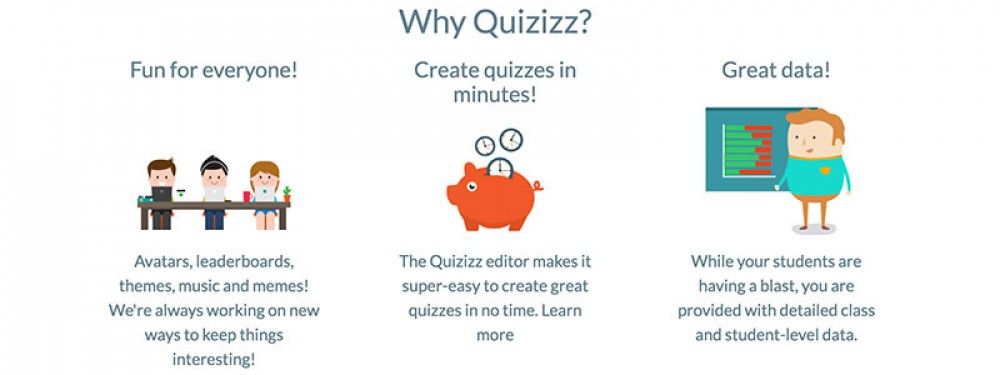
Quizizz allows you to find amazing quizzes made by other teachers, or create your own quizzes and share them with the world. Start a “Live” game in class, or assign Quizizz as a fun “Homework” task. Teachers can control the competition by toggling the leaderboard, timer and other settings. Thanks to Quizizz being available on all devices, students play together, but each at their own pace. Gamification elements like avatars, leaderboard and funny memes add to the fun! Review your work in the end and use Quizizz’ detailed class and student-level reports to understand where your students need help.
“Quizizz is a game changer in formative assessment because it’s easy for teachers to adopt. It has just the right visual layout for entertaining kids and getting teachers the actionable data they crave. As a plus, there’s no “app” to download – Quizizz works on great on any device!” – Jon Corippo
 

Hottest EdTech Tools of 2017

#11 of the 82 Hottest EdTech Tools of 2017 According to Education Experts –

Tutora posted the 82 Hottest EdTech Tools of 2017. I have decided to post re each, and we start with #11 on the list:

11. Explain Everything – Collaborative, Interactive Whiteboard App

As nominated by Beth Holland, and Michael Cohen of The Tech Rabbi.

For a number of years, Bartosz Gonczarek (CEO) and Piotr Sliwinski (CTO) had a hobby of making funny podcasts. They thought about filming them but the budget to make real movies with their ideas (space aliens, large explosions, monsters destroying whole city quarters) would have been too costly. The only plausible way to capture their ideas was to make simple cartoons.

The concept for an app to create these cartoons appeared in Piotr’s head in 2008 when a colleague showed him an animation that he had made. After a week, Piotr had a working proof of concept. It was a simple app for the Mac that displayed a funny face that could be moved around a checkered window, while its movement was recorded. Fast forward and on August 19, 2011, Explain Everything made its debut on the iPad App Store.

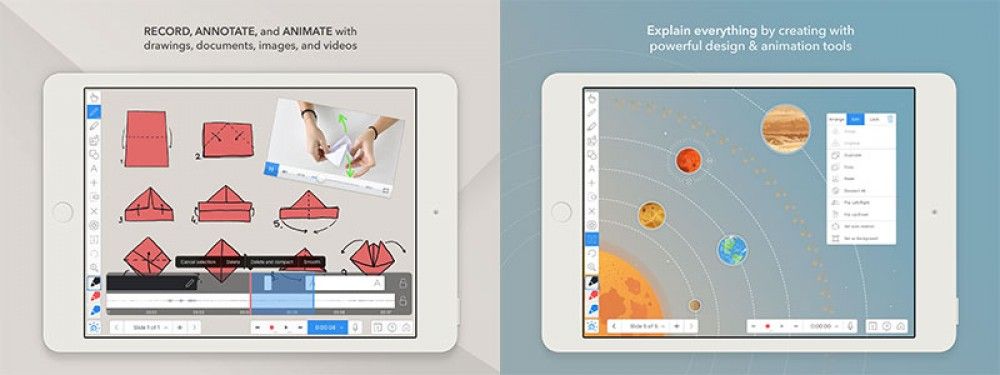
Explain Everything is an easy-to-use design, screencasting, and interactive whiteboard app with real-time collaboration that lets you animate, record, annotate, collaborate, and explore ideas, knowledge and understanding. Explain Everything provides teachers and students an opportunity to share thinking, reflect upon knowledge building, and assess both products and processes of learning.

Hottest EdTech Tools of 2017

#9 of the 82 Hottest EdTech Tools of 2017 According to Education Experts –

Tutora posted the 82 Hottest EdTech Tools of 2017. I have decided to post re each, and we start with #9 on the list:

 9. Book Creator – The Simple Way To Create Beautiful eBooks

As nominated by Beth Holland, and Michael Cohen of The Tech Rabbi.

Book Creator is a simple app for making ebooks on the iPad (and soon to be cross-platform). Red Jumper is the team behind Book Creator. Established in 2011, their mission is to empower the next generation of content creators and improve their educational outcomes.

Teachers and educators have the opportunity with Book Creator to develop interactive and evolving teaching resources that can easily be shared with or collaborated on by students. As an e-resource, it’s really easy to keep resources up to date for each year group and make edits on the fly during lessons.

Book Creator is also a great tool for students to explore their creative side and produce a tangible piece of content through their learning. Potential applications might include creating a portfolio of learning after each lesson, or a homework assignment to create an interactive story or comic book.

After creation, resources can then be shared online with anyone worldwide. Your students could support the learning of students on the other side of the world, or maybe even collaborate with them on a new project!

“Book Creator gives teachers and students a flexible multimedia creation platform with unlimited potential.” – Beth Holland

“BookCreator’s ease of use is perfect for young children to apply their speaking, listening, reading & writing skills.” – Amy Kingsley

“The features and interface on BookCreator are fantastic – the kids in my class have used it for years and still love the video and audio!” – Adam Chase

Hottest EdTech Tools of 2017

#8 of the 82 Hottest EdTech Tools of 2017 According to Education Experts –

Tutora posted the 82 Hottest EdTech Tools of 2017. I have decided to post re each, and we start with #8 on the list:

8. ThingLink – Annotate Images and Videos

As nominated by Brian Seymour of Seymour Educate, and Nikolaos Chatzopoulos of Tech Trends for Teachers.

Amongst the various interactive annotation applications available, ThingLink stands apart. Not only can ThingLink be used to edit, annotate and teach with images and videos in real-time, it also supports 360 degree video and VR/AR content.

Thinglink allows over 70 different tags to be used within content, such as links, videos, maps, images, social media and more. It’s intuitive interface allows users to create interactive content in just three steps and using an embeddable sharing link, it’s easy to distribute the content to your students wherever they are and whatever device they’re using. It even integrates natively with Facebook!

With it becoming increasingly more easy to create 360 and VR content using everyday tools like our smartphones, there are very few barriers to entry to begin trialling tools like Thinglink in your lessons.

“Through our goal of creating more digital projects, we discovered ThingLink. ThingLink has allow our students to take the traditional “create a poster” project to a whole new level.” – Brian Seymour

Hottest EdTech Tools of 2017

#7 of the 82 Hottest EdTech Tools of 2017 According to Education Experts –

 Tutora posted the 82 Hottest EdTech Tools of 2017. I have decided to post re each, and we start with #7 on the list:

7. Matific – Maths Games and Worksheets For Kids

As nominated by Vicki Davis of Cool Cat Teacher, and Danielle Bartram of Miss B’s Resources.

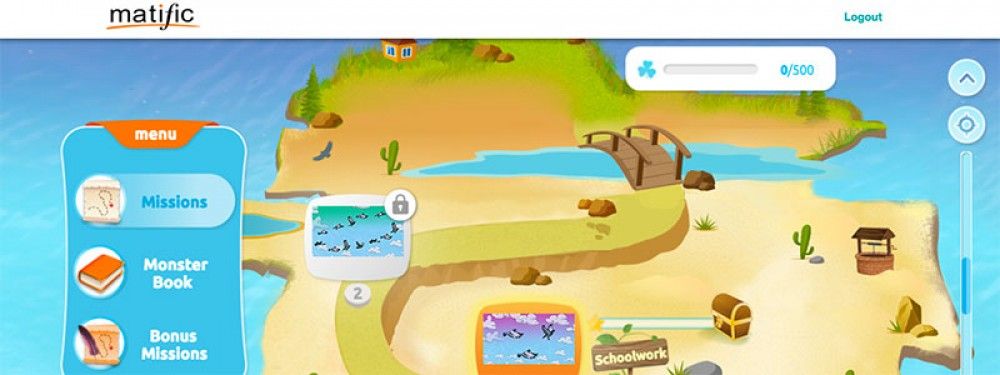
Matific is an award-winning primary maths resource which uses common objects in ordinary settings that children can connect to for a deep understanding of maths. Matific episodes were designed to support each other to allow children to master core maths concepts. Encouraging children to experiment and play to foster understanding, Matific provides engagement across all year groups. With long term use, children can reconnect with core maths concepts that increase in difficulty and reinforce previously learned skills.

Matific is aligned to the UK Primary Maths curriculum and popular textbooks such as Maths-No Problem. It promotes inclusive learning through its platform with the ability to choose the language student’s view the activities in – fantastic for EAL students and the visual presence in the activities cater well to special needs students.”

Matific provides a library of amazing resources for teaching maths to children age 4 – 11. Resources are split across bite-sized, immersive and interactive applications designed for mobiles and tablets.

Their resources are based entirely on the UK mathematics curriculum, making the apps a perfect companion to standard maths textbooks and activities, or to be used as a standalone pillar around which to plan a lesson. A recent research paper by Dr. Catherine Attard “Research Evaluation of Matific Mathematics Learning Resources”​ found Matific positively impacted on primary students learning.

“Matific is awesome. One particularly amazing thing to me is the ability for Matific to deliver instruction and parent information in a child’s native language. That way you can focus purely on the math.” – Vicki Davis

Hottest EdTech Tools of 2017

#6 of the 82 Hottest EdTech Tools of 2017 According to Education Experts –

Tutora posted the 82 Hottest EdTech Tools of 2017. I have decided to post re each, and we start with #6 on the list:

6. Go Noodle – Get Kids Moving

As nominated by Laura Dickinson of North Tyneside Learning Trust, and Nicholas Clayton.

Go Noodle gamifies movement and exercise, getting kids out of their seats and allowing them to be energetic, playful and and active – with a touch of silliness mixed in just for good measure.

The platform features hundreds of pre-recorded, custom-created videos designed to get kids moving. There’s also a handful of videos specifically made to start introducing children to concepts of mindfulness, including breathing and meditation.

The awesome thing about Go Noodle is how it can be used everywhere. Teachers can use it as an intro exercise to a lesson, a break in the middle of a long class or even as a piece of homework for children to do alongside their siblings or parents at home.

“GoNoodle has inspired many of our schools to promote physical activity in schools using their brilliant videos. We actually had a Mass GoNoodle in July last year where 800 children came together to get active as one big group.” – Laura Dickinson

Hottest EdTech Tools of 2017

#5 of the 82 Hottest EdTech Tools of 2017 According to Education Experts –

Tutora posted the 82 Hottest EdTech Tools of 2017. I have decided to post re each, and we start with #5 on the list:

5. Remind – School Communication Shouldn’t Be So Hard

As nominated by Alex Corbitt and Andoni Sanz.

Remind is a classroom messaging app that helps teachers, students, and parents communicate quickly and efficiently. By connecting school communities, Remind makes it easy for everyone to succeed together. Based in San Francisco, Remind is used by more than 20 million people in 90% of school districts in the United States.

Whilst many organisations are starting to embrace technology to communicate with school stakeholders, messages typically end up being split across an array of channels. Facebook messages, WhatsApp groups, individual text messages or emails – the list goes on.

Remind removes the tedious process of remembering which message came from which person on which platform. Contacts can reach each other directly, schedule reminders, include attachments and see read-receipts – all with translation in 70 languages!

Remind is a great example of an alternative application of technology to support the wider community involved with schooling and education.

“My coworkers and I use remind to keep students and families updated about upcoming projects, events, and assessments. Our parent outreach is better than ever before and our students have demonstrated significant academic gains as a result.” – Alex Corbitt

Hottest EdTech Tools of 2017

#4 of the 82 Hottest EdTech Tools of 2017 According to Education Experts –

Tutora posted the 82 Hottest EdTech Tools of 2017. I have decided to post re each, and we start with #4 on the list:

4. AdmitHub – Free, Expert College Admissions Advice

As nominated by Ryan Craig of University Ventures, and Daniel Christian.

Focussing on a different area of EdTech, AdmitHub provides an easily accessible source of expert advice about US college applications – in the form of a friendly online chatbot!

AdmitHub’s mission is to provide all students with free, expert guidance along the path from highschool, to and through college. Through SMS text and integration with Facebook Messenger, AdmitHub’s chatbot Oli, mixes artificial intelligence with human guidance coaches from individual schools.

Once a student’s goals are assessed, they have 24/7 access to a personal ‘virtual campus guide’ to help them through application and enrolment processes and embodying each school’s’ ‘unique spirit’ and personality.

AdmitHub are currently ahead of the game and applicable to US students only, but the rise of chatbot tech means we should soon start seeing many more innovative bots within the education sector.

Hottest EdTech Tools of 2017-#2

#2 of the 82 Hottest EdTech Tools of 2017 According to Education Experts –

Tutora posted the 82 Hottest EdTech Tools of 2017. I have decided to post re each, and we start with #1 on the list, Kahoot! 

2. Kahoot! – Making Learning Awesome!

As nominated by Michael Cohen of The Tech Rabbi, Bethany Petty of Teaching With Technology, and Neil Jarrett of EdTech for Beginners.

Very solid pick at #2. I have personally observed dozens of classrooms come alive at the use of Kahoot.  Students become move engaged learners, and teachers gain valuable feedback regarding students understanding.

As noted by reviewers:

Kahoot! is a game-based learning platform and one of the world’s fastest-growing learning brands with more than 40 million monthly active users in 180 countries. Kahoot! makes it easy to create, discover, play and share fun learning games in minutes—for any subject, in any language, on any device, for all ages.

Launched in 2013, with the mission to make learning awesome, Kahoot!’s free game-based platform engages the heart, hand and mind, creating a wildly more social, meaningful and powerful pedagogical experience. Kahoot!’s platform and easy-to-use features not only attract educators and students but reach beyond the classroom to corporate powerhouses, sporting and cultural events, and any social and learning context.

Kahoot! allows teachers to quickly create fun learning games for students based around multiple choice questions. After creating the game, students can use any device to sign-in to the game ‘room’ using a unique code to complete lessons and compete against their peers.

Displaying the questions and game on a primary display encourages students to use their personal devices only for choosing their answer. This means group engagement and discussion is promoted throughout the session, creating what the Kahoot! team call ‘campfire moments’.

Kahoot! then promotes students to proactively pursue their learning goals by creating their own Kahoots, attempting to beat previous scores and inciting class discussions around the learning topic.

Whether used as an attention grabber at the start of a lesson or a re-energising tactic part way through an intense revision class, Kahoot! Is surely a great tool for any teacher.