Hottest EdTech Tools of 2017- Financial Literacy

#42 of the 82 Hottest EdTech Tools of 2017 According to Education Experts –

Tutora posted the 82 Hottest EdTech Tools of 2017. I have decided to post re each, and we start with #42 on the list:

42. Black Bullion – Opening the doors to financial education

As nominated by Vivi Friedgut.

The lack of a financial education can have a crippling effect on students’ wellbeing. Through empowering students to take control of their financial future, BlackBullion positively impact on the student experience as well as retention, lifelong attainment and employability.

The platform educates users through easy to understand native content and interactive modules that engage but never patronise. Users can then access intelligent insights through smart analytics and reporting for minimum hassle and maximum efficiency, empowering learners to achieve lifelong learning and personal development. As Blackbullion put it, it’s more like a chat with a knowledgeable friend than a lecture from a bank manager!

Hottest EdTech Tools of 2017- Paperless Classroom

#41 of the 82 Hottest EdTech Tools of 2017 According to Education Experts –

Tutora posted the 82 Hottest EdTech Tools of 2017. I have decided to post re each, and we start with #41 on the list:

41. Showbie – The heart of your paperless classroom

As nominated by Kerry Gallagher, Director of K12 Education at Connect Safely.

Showbie combines all of the essential tools for assignments, feedback, and communication in one easy-to-use platform.

Showbie’s features were designed with teachers and students in mind. Unlike other learning management systems that require extensive training and time to implement, teachers can start using Showbie’s powerful platform within minutes. Teachers who use Showbie love how it transforms their classrooms into engaging, collaborative, and organized learning environments. Showbie’s suite of tools make it easy to give rich, differentiated feedback to students, so everyone gets the help they need to succeed. Showbie allows students to share files and ideas with each other, ensuring everyone is on the same page and encouraging collaboration.

Showbie lets teachers work with their peers and easily engage with families. Teachers can set up groups to work directly with colleagues, share best practices, or discuss the needs of particular students. Parents can easily be part of the conversation too; teachers can set up groups just for families where they can post class updates and even permission slips.

Hottest EdTech Tools of 2017- Avatar Animation

#40 of the 82 Hottest EdTech Tools of 2017 According to Education Experts –

Tutora posted the 82 Hottest EdTech Tools of 2017. I have decided to post re each, and we start with #40 on the list:

40. SiLAS Solutions – Avatar animation software for social skills

As nominated by Chris Aviles of The Teched Up Teacher.

SiLAS is a browser-based web app that allows students to act out social scenes using video game pads and microphones to control their 3D avatars. SiLAS records the interaction in real-time, then produces a studio-quality animation that teachers and students can re-watch, critique, and assess. Student-performance data is tracked and animations are saved in guardian accounts allowing for crucial carryover year-to-year and outside the classroom. Kids can also create and watch interactions in full virtual reality.

The instructor selects the setting location for where the students will interact. Does the student need help initiating conversation in the cafeteria? The students can now practice the situation in the virtual cafeteria setting before going to eat their actual lunch. SiLAS is a great tool for helping kids who have social anxiety or interaction difficulties and for educating those with SEN about different social situations.

Hottest EdTech Tools of 2017- Peardeck

#39 of the 82 Hottest EdTech Tools of 2017 According to Education Experts –

Tutora posted the 82 Hottest EdTech Tools of 2017. I have decided to post re each, and we start with #39 on the list:

39. Peardeck – Powerful Learning Moments for Every Learner, Every Day

As nominated by Kerry Gallagher, Director of K12 Education at Connect Safely.

Created by Educators for Educators, Pear Deck creates interactive presentations for 100% student engagement and real-time formative assessment. With options to build presentations from scratch, or import existing Google Slides or PDFs, Pear Deck makes it as easy as possible to start engaging every student in every row of the classroom.

Their library of existing sample lessons provides great examples on how to use the 5 Pear Deck interactive question types, embed youtube videos or web pages. The recently launched Student-Paced mode allows teachers the option to send Pear Deck home with students for homework, or administer in class quizzes. With unlimited storage and sharing capabilities, the options are endless.

Hottest EdTech Tools of 2017- PDF Annotation

#38 of the 82 Hottest EdTech Tools of 2017 According to Education Experts –

Tutora posted the 82 Hottest EdTech Tools of 2017. I have decided to post re each, and we start with #38 on the list:

38. Kami – Online PDF and Document Viewer, and Annotation Tool

As nominated by Meagan Kelly of I Heart Edu.

Kami is an educational technology application that provides educators and students tools to view and edit documents and PDF files.

Kami offers easy-to-use and valuable tools to millions of educators and students needing a document and PDF solution. Kami also enables the increasing number of American K-12 schools to edit and collaborate on worksheets and interact with publisher-supplied PDF files.

Kami is a proud Google Partner, a 2012 The University of Auckland Velocity 100K Challenge finalist, and the 2015 New Zealand Innovation Award winner.


Hottest EdTech Tools of 2017- Innovation for Adult Education

#37 of the 82 Hottest EdTech Tools of 2017 According to Education Experts –

Tutora posted the 82 Hottest EdTech Tools of 2017. I have decided to post re each, and we start with #37 on the list:

37. Lithan – On Demand Learning and Mentoring

As nominated by Charlie Ill, Investment Director at Red Dot Ventures.

Lithan’s mission is to redefine adult education through learning innovation. They provide lifelong career progression and learning to individuals and provide training solutions for enterprises.

Through virtual and blended delivery in the classroom, at the workplace, at home, and even overseas, Lithan allows non-invasive learning without geographic boundaries. Using innovative technology, Just-in-time learning delivery allows individuals and enterprise learners to study at their own pace, anytime and anywhere while still experiencing close mentorship and support.

By providing easy to access learning solution, Lithan is supporting adult learners to skill-up competencies and develop their talents to be future ready within the working environment.

Hottest EdTech Tools of 2017- Create Graphic Designs

#36 of the 82 Hottest EdTech Tools of 2017 According to Education Experts –

Tutora posted the 82 Hottest EdTech Tools of 2017. I have decided to post re each, and we start with #36 on the list:

36. Canva – Empowering the world to design

As nominated by Meagan Kelly of I Heart Edu.

Canva makes it amazingly simple for everyone to create professional quality graphic designs. Its online design platform brings together a simple drag-and-drop design tool and a library of more than one million photographs, graphics and fonts, allowing anyone to take an idea and present it beautifully in print or online.

Canva can be used to design almost anything: presentations, posters, blog content, cards, online marketing materials, invitations, flyers and so much more. Since launching, Canva has grown to more than 10 million users in 179 countries around the world. It is now available in 25 different languages, and recently launched on iPhone and iPad.

Because it’s so easy to pick up and use, Canva is a brilliant tool for creating educational content. Potential applications include using Canva to create resources for the classroom, or asking students to collaborate on projects like digital posters or infographics.


Hottest EdTech Tools of 2017- Connected Play in K

#35 of the 82 Hottest EdTech Tools of 2017 According to Education Experts –

Tutora posted the 82 Hottest EdTech Tools of 2017. I have decided to post re each, and we start with #35 on the list:

35. Tiggly – Interactive toys and iPad learning apps for kids

As nominated by Brian Seymour of Seymour Educate.

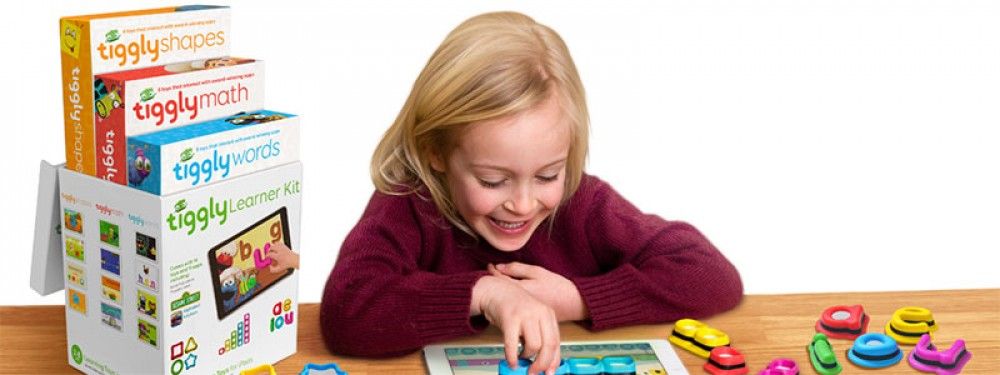
Tiggly believes in the power of connected play – the magic that happens when you bring the best of physical play into digital apps. They design fun hands-on toys that interact with engaging learning apps on tablets! Tiggly has three learning systems, Tiggly Words, Tiggly Math, and Tiggly Shapes, and has been featured on TIME, Forbes, BBC, CNBC, Huffington Post and many others.

Tiggly has been a great addition to our kindergarten classes in allowing students to interact and learn their numbers and letters on the iPad. Students like using the large letters and numbers and seeing the different apps work as they select the correct letters or numbers.” – Brian Seymour


Hottest EdTech Tools of 2017- Open Cloud Desktop

#34 of the 82 Hottest EdTech Tools of 2017 According to Education Experts –

Tutora posted the 82 Hottest EdTech Tools of 2017. I have decided to post re each, and we start with #34 on the list:

34. Airhead – The open cloud desktop for teaching and learning

As nominated by Phil Dawson of Learnocracy.

Winner of the prestigious ‘Innovation in ICT’ award at Bett 2015, Airhead is simply the best cloud desktop for schools, colleges and universities. With Airhead you’ll save time, make the cloud more easily accessible and support communication and sharing. Airhead’s integration with Microsoft Office 365 and Google G Suite means you’ll also be able to improve collaboration and productivity across one or many establishments. In short, you’ll supercharge your journey to the cloud. Airhead is the glue that turns the Web into a meaningful educational service that delivers on the promise of anytime, anywhere, any device learning.

Hottest EdTech Tools of 2017- Code with Evo & Bit

#33 of the 82 Hottest EdTech Tools of 2017 According to Education Experts –

Tutora posted the 82 Hottest EdTech Tools of 2017. I have decided to post re each, and we start with #33 on the list:

33. Ozobot – Smart toy robots to learn and play

As nominated by Brian Seymour of Seymour Educate.

Ozobot launched in fall 2014 with the vision to create an innovative way to play, learn and socially interact in an ever-expanding digital world. Through game applications and creative curriculums, Ozobot introduces interactive robots by blending entertainment and education in the family room as well as the classroom. Their mission is to provide learners as well as gamers of all ages a new option to play, learn and interact as well as inspire them to make the jump from using technology to actively shaping and creating it.

“As we have a K-12 computer science pathway we were looking for CS toys to use at our younger grade levels, and of course students love robots! Ozobot is a fantastic tool for teaching coding as the robot and programs are scaffolded allowing us to use Ozobots at numerous grade and skill levels.” – Brian Seymour